Introduction to BASIC256


BASIC256 is a small, approachable language that lets a beginner gradually grow into graphics, simulation, games and systems programming.

This project is the actively maintained continuation of the original BASIC256, bringing the educational and hobbyist environment to Windows, Linux, macOS and the Web while preserving backward compatibility with existing BASIC256 programs. Its homepage is at https://basic256.org. It also has an extensive documentation site, https://doc.basic256.org (this site), accessible from the application's Help → Online Help menu, and a third site, https://run.basic256.org, lets you run it in a browser.
Why use BASIC256?
- Designed specifically for beginners and hobbyists
- Immediate graphics and sound
- Cross-platform
- Lots of example programs
- Simple BASIC syntax
- Free and open source (GPL3)
What's new in BASIC256 2.3.0
- A program now asks before it touches files outside its own folder. Anything at or below the folder it was loaded from is used without a word; naming anything outside it -- with OPEN, KILL, MKDIR, IMGSAVE, DBOPEN, a path inside SQL or any other statement -- brings up a dialog offering Don't allow, Allow once and Allow for this run. NETLISTEN now only accepts connections from the same machine unless Preferences/Advanced says otherwise, and RMDIR has been removed. These are potentially backward compatibility breaking changes, all to keep system-corrupting programs at bay. For details, see File and Folder Permissions.
- Retro console abilities for the Text Output window: LOCATE puts the cursor at a column and row, TEXTCOLOR, TEXTBACKGROUND and TEXTFONT colour and style it, and TEXTCOL/TEXTROW read the cursor back. Printing at a LOCATE overwrites rather than inserts, so a program can rewrite one spot without redrawing the rest. See example programs in Examples/Console.
- A real character screen with TEXTSCREEN: TEXTSCREEN 40, 25 turns the Text Output window into a fixed grid of characters, like the home computers of the eighties, so boxes close up and columns line up whatever the font, and the screen grows and shrinks with the window. A third argument asks for square cells for boards and pictures, and TEXTCHAR reads a character back off the screen.
- A new SORT statement sorts an array in place, ascending or descending and optionally ignoring case. A two-dimensional array has its rows sorted on a chosen column, each row moving as a whole, and the sort is stable.
- A new HSV colour function, the sibling of RGB: hue in degrees round the colour wheel, saturation and value in percent, with an optional alpha. Counting the hue from 0 to 360 walks through the whole rainbow with a single number.
- NOISE takes a third coordinate, so a program can draw with x and y and move through z as time -- clouds, water or fire that change smoothly instead of standing still.
- SPRITETEXT makes a sprite from text in the current font and colour, optionally on a background colour, for a label that can be read over anything behind it.
- A benchmark, TestSuite/Benchmark, times each part of the language and prints one table at the end, so you can measure the speed on your own machine, or compare two machines or two versions.
- New and updated Example files are included, also in the WASM version.
What's new in BASIC256 2.2.0
- A classic BASIC command WINDOW to set the logical coordinates of the canvas.
- All drawing primitives (CIRCLE, LINE, RECT,..) have been adapted to handle the new WINDOW command, as have the location-based ones (PIXEL, MOUSEX/Y, CLICKX/Y). They now also accept fractional coordinates, so a circle at 100.5,100.5 sits half a pixel right of and below one at 100,100.
- A new command NOISE to generate OpenSimplex noise (follow-up to Perlin noise).
- For more advanced use, matrix calculations can now be performed with the MAT command (MAT MUL, MAT ADD, MAT SUB, MAT INV, MAT TRN) and vector calculations can be done with DOT and CROSS products, NORM (vector length) and UNIT (unit vector). As there are no real matrix or vector primitives, arrays are used to represent these.
- A new command FRAMERATE to hold a drawing loop to a steady number of frames a second. BASIC256 runs on everything from an RPi to an M5, so a program written on one machine should keep its speed on another. FRAMERATE 30 in the loop waits until the next frame is due rather than for a fixed time, so the drawing time comes out of the wait instead of being added to it and the rate is the one asked for whatever the scene costs.
- On the more educational side, there is now a turtle.kbs as a module to simulate turtle graphics. The turtle commands are documented under Turtle Graphics.
- An array or map literal may now be written over several lines instead of a single continuous line and a remark may be put inside the outer mustaches, so the rows of a table can be documented.
- Programs run 20-25% faster than 2.1.1, and none run slower.
- Arrays use about half the memory they used to, and the statements that act on a whole array at once -- DIM, REDIM, MAT statements -- are three to five times faster.
- PAUSE is now accurate to about a millisecond on every platform, waits for any length up to a day, and can be cut short by the Stop button.
- New and updated Example files are included, also in the WASM version.
- Bug fixes: on Windows a running program's graphics no longer stall for seconds at a time until the mouse is moved, and SPRITEPOLY now places the polygon where it was drawn and leaves room for the pen width. Although mod and % correctly returned the modulo function, MOD was not recognized. This is now fixed.
What's new in BASIC256 2.1.1
- 2x speed-up for arithmetic-heavy loops (fractals, physics,..)
- WASM code persistence so your coding session doesn't just disappear when doing a browser refresh or restart.
What's new in BASIC256 2.1
- Build environment: GitHub Actions / CMake / Qt6 / MS Visual Studio 2022 support
- Supported architectures: WebAssembly and macOS for Silicon and Intel Macs!
- Command line: fullscreen mode, graphics only, text only and silent running
- IDE: View-Theme settings for Dark themes / Updated examples / New standard library
- Updated documentation based on Docusaurus
Try it in your browser
Thanks to Qt for WebAssembly, BASIC256 runs directly in your browser — the full editor and interpreter, with no install needed.
Live demo: https://run.basic256.org
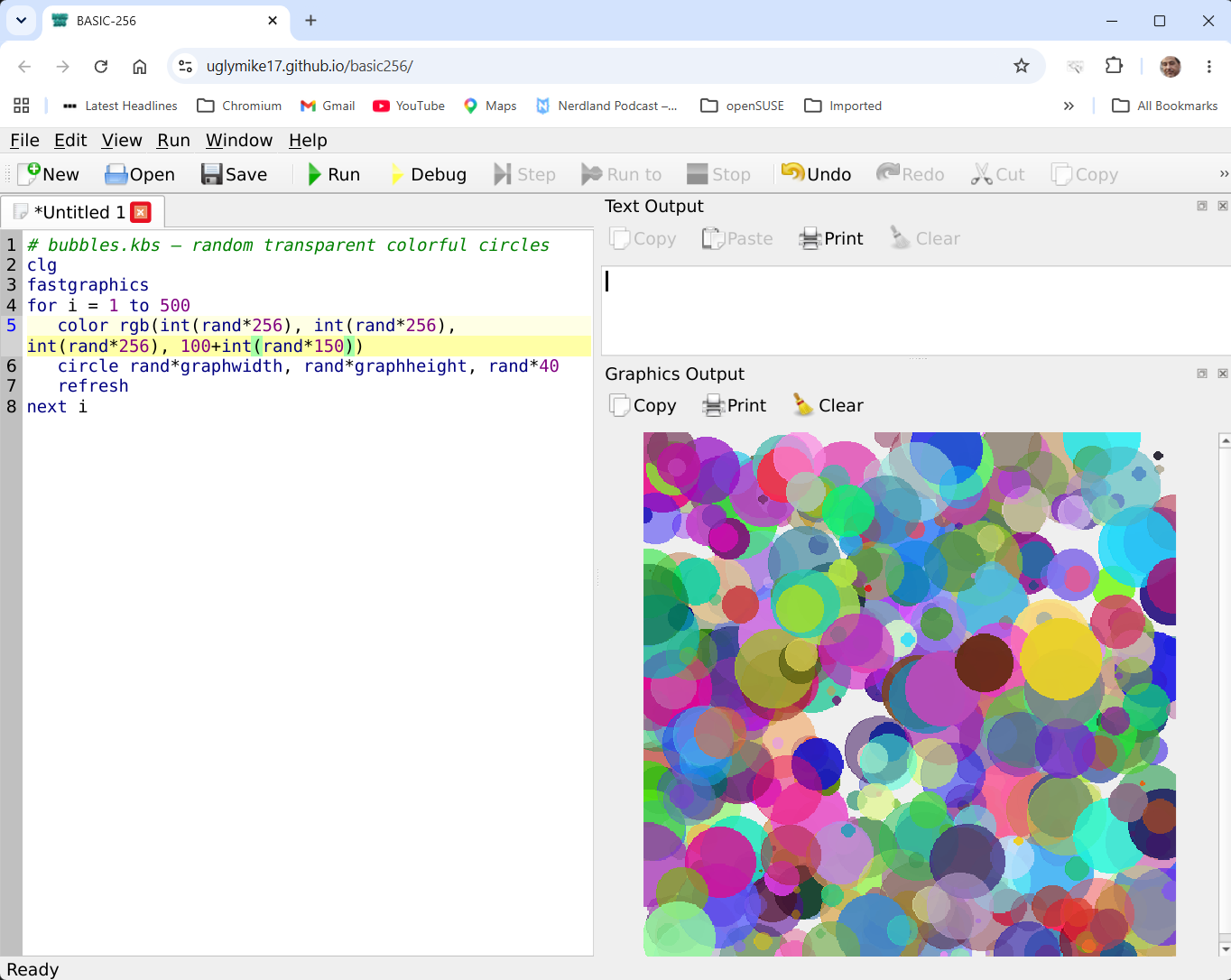
You will be greeted with an interface like the following image. The interface automatically adapts to both light and dark system themes. The View menu item allows you to show/hide windows and/or toolbars among other things. You can type a program such as
# bubbles.kbs — random transparent colorful circles
clg
fastgraphics
for i = 1 to 500
   color rgb(int(rand*256), int(rand*256), int(rand*256), 100+int(rand*150))
   circle rand*graphwidth, rand*graphheight, rand*40
   refresh
next i
and click Run to see the result immediately. (you can copy/paste the program into the demo linked above too...)
Running a program straight from the Web link
You can use the above link with parameters to make a program run directly from the URL. Which program to run is one parameter, and how to show it is another.
Three ways to name the program:
| parameter | where it looks | example |
|---|---|---|
?run= | the Example programs built into the app | ?run=mandelbrot |
?url= | a file on the site, relative to the page | ?url=demos/bubble.kbs |
?src= | the program source itself, base64-encoded in the link | ?src=<base64> |
?run= only sees the bundled Examples — dropping a .kbs onto your web server does not make it visible to ?run=; that's what ?url= is for. ?url= is restricted to the site serving the page (a relative path), so a link can't point the app at somebody else's server.
Then &mode= chooses the window layout. These mirror the command-line switches:
?mode= | switch | Effect |
|---|---|---|
ide (default) | -r | full IDE, auto-run |
edit | — | full IDE, loaded but not run |
graph | -g | graphics only, auto-run |
text | -t | text output only, auto-run |
app | -a | text + graphics, no editor, auto-run |
So a plain link opens the IDE with the program loaded and running — you can see it, stop it and edit it:
https://run.basic256.org/?run=BubbleUniverse_variations
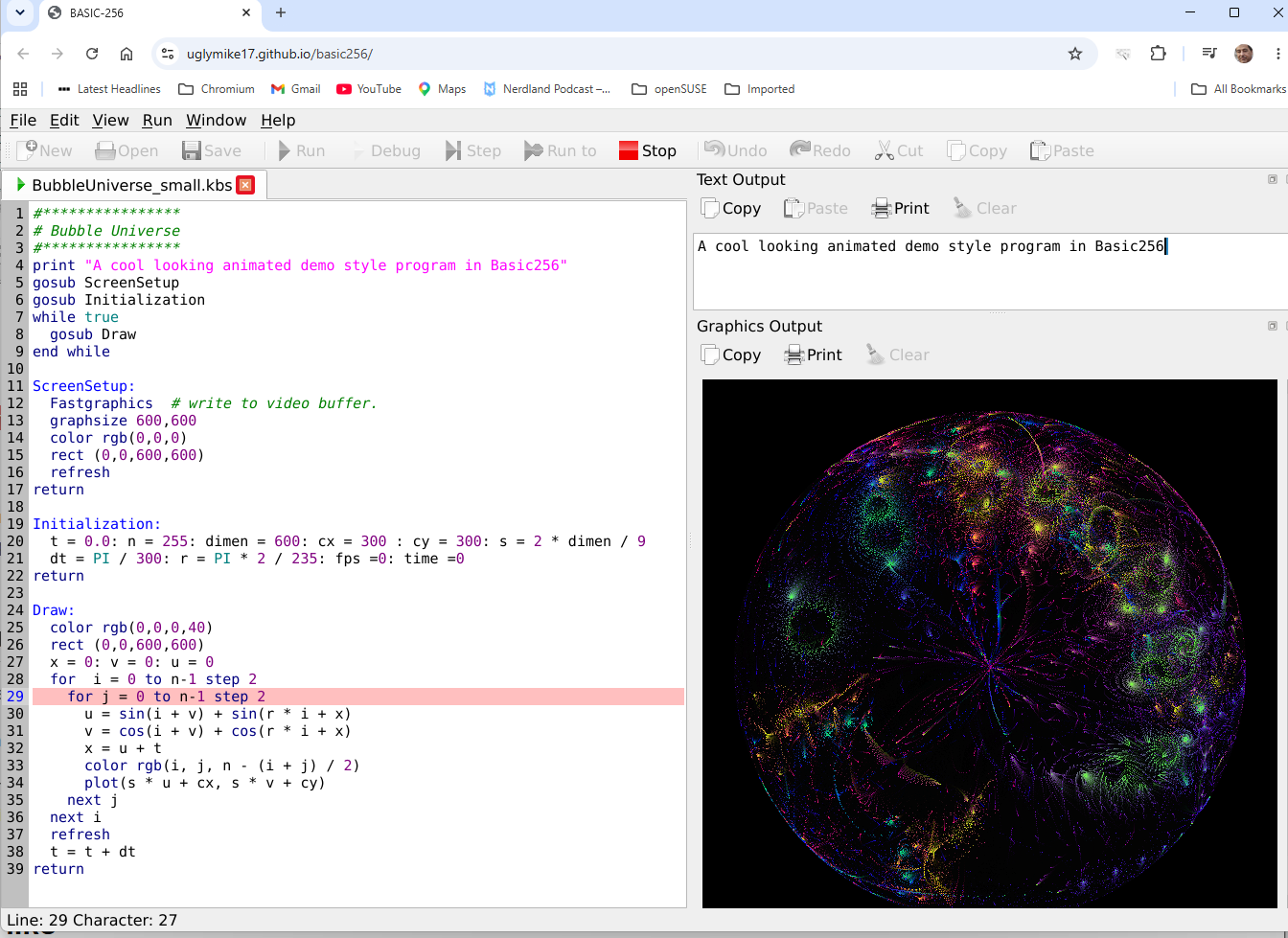
Add &mode=graph and you get just the canvas, with no menus or toolbars — the form to use when embedding a demo in a page:
https://run.basic256.org/?run=Mandelbrot-256&mode=graph
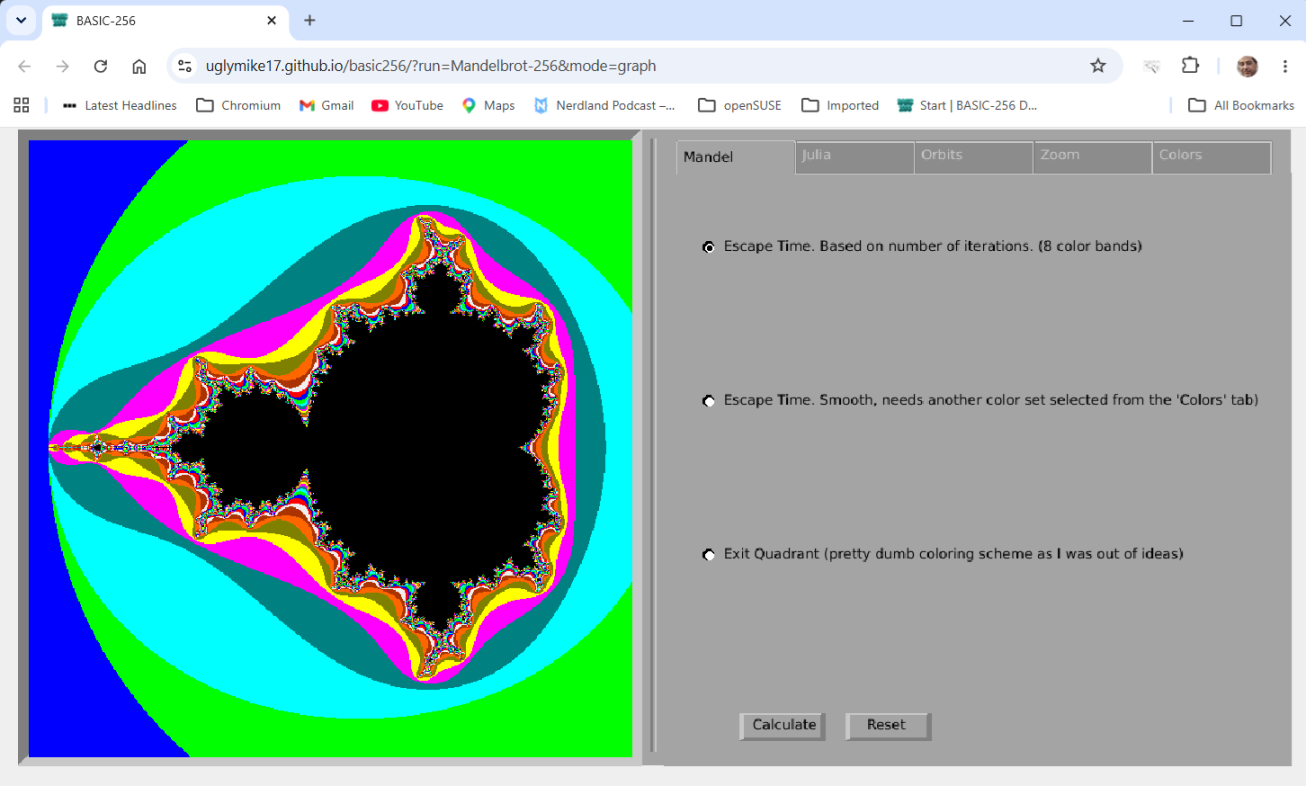
mode works with any of the three, so ?url=demos/bubble.kbs&mode=graph runs your own hosted program as a bare-canvas demo. On your own server, add folders such as /demos, /images or /sounds and reference them from ?url= or from inside your programs.
Hosting it yourself
Copy the WASM build to any static host served over HTTPS, and send these two headers that the multithreaded build relies on:
Cross-Origin-Opener-Policy: same-origin
Cross-Origin-Embedder-Policy: require-corp
With those in place the page loads in a single pass — no reload — and the bundled coi-serviceworker helper (only needed because GitHub Pages can't send those headers itself) is no longer required.
Browser differences
Running inside a browser sandbox, a few things differ from the desktop version:
- Files live in an in-browser filesystem rather than on your disk; programs load and save through the browser.
- Sound and
sayuse the browser's audio and speech support, and the first sound may need a click first (browsers block audio until you interact with the page). - Networking (TCP sockets) isn't available in the browser.
- Speed: the browser build runs slower than the native one, so large fractals and particle simulations will run at a gentler pace.
The desktop IDE
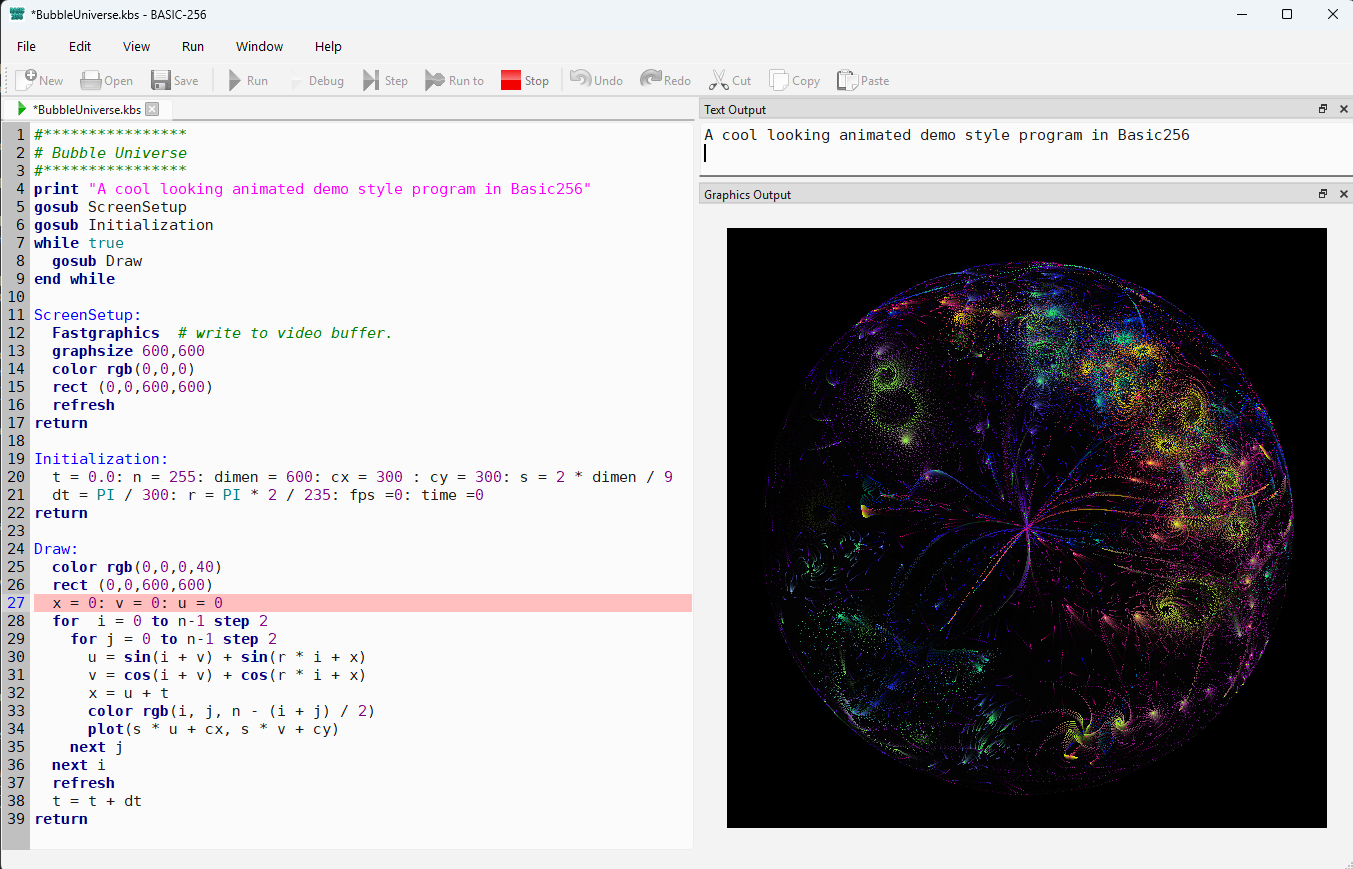
Started as a standard application, BASIC256 opens the same 3-pane IDE with edit, output and graphics windows as the web version:
Examples
The Examples directories have some more or less advanced example programs to play and experiment with. Note that most of these 'new' examples are also somewhat dated and some are not working on tablets or smartphones but rely on keyboard input. The original, minimalistic example programs from the 2.0.0.11 version are also included in sub-directory Original_Examples. Although some of Manuel Santos' programs are already included, you can still find many additional examples of his on https://basic256.blogspot.com/.
Download & install
Grab the latest build for your platform from the Releases page.
| Platform | Status | Notes |
|---|---|---|
| Windows (.zip) | ✅ | Extract anywhere you like. The full TestSuite runs without issue. |
| Windows (installer .exe) | ✅ | SmartScreen will initially block it as it comes from an unknown source — "More info" → "Run anyway" fixes this. A signed version might come later thanks to SignPath's open-source program; this depends on GitHub stars and the success of the project. |
| Linux x86 (tarball / AppImage) | ✅ | Both are quite large as they include all prerequisite software. There is also a .deb package, which is much smaller because it lists its prerequisites in metadata instead of bundling them: BASIC256 2.1.1 is in Debian 14 "Forky" main and in Debian Unstable "sid" main. |
| Raspberry Pi (tarball / AppImage) | ✅ | Same remark as Linux x86 regarding size; BASIC256 2.1.1 is in Raspbian Testing main. Speech does not work out of the box on Raspbian "Trixie", which does not ship speech-dispatcher, so it must be installed manually. |
| macOS (Apple Silicon) | ⚠️ | Needs macOS 15 (Sequoia) or newer. Builds as a Homebrew-based app. Having no developer license, I can only apply ad-hoc signing — see below. |
| macOS (Intel) | ⚠️ | Needs macOS 15 (Sequoia) or newer. Same Homebrew-based app and the same ad-hoc signing caveat, built separately for x86_64 Macs. These are two single-architecture downloads, not one universal binary, so pick the one matching your Mac. |
| Web (WASM) | 🧪 v1 | Works, with a few known gaps — see below. |
macOS notes
Ad-hoc signing should prevent the "basic256.app is damaged and can't be opened" message and show "unidentified developer" instead. If the "damaged" message still appears, strip the quarantine flag:
xattr -cr /Applications/basic256.app
Another way to quickly run an ad-hoc signed Mac app is to open Terminal and apply the ad-hoc signature to bypass Gatekeeper:
codesign --force --deep -s - /path/to/app.app
There is however a possibility to add your own Developer ID in the build script, opening a path to notarization, which would allow seamless installation on modern macOS versions.
Older macOS versions. Both macOS downloads need macOS 15 (Sequoia) or newer. That floor comes from Qt 6 and from the libraries bundled into the app, not from BASIC256 itself, so it cannot simply be lowered by a build setting: the app is only as portable as the least portable library inside it, and those are supplied by Homebrew for whichever macOS the build ran on. GitHub's oldest Intel runner image is macOS 15, so that is also the practical floor for the Intel build. Qt 5 was the last version to support macOS 10.13/10.14, so on an older Mac (High Sierra, Mojave, Catalina and similar) the option is the original Qt5-based BASIC-256 2.0.0.11 from SourceForge, or building from source against Qt 5.15 yourself. Note that an Intel download will also run on an Apple Silicon Mac through Rosetta 2, which is useful if only one of the two builds starts on your system.
Browser build (WASM) limitations
The browser build is v1 and has a few known gaps compared to the desktop app:
SYSTEM, serial port commands (SERIALOPEN...), the wholeNET...family (NETCONNECTas well asNETLISTEN),DBOPEN/SQL andPRINTER...are not available in a browser sandbox. Programs calling them get a clear "Feature not available on this platform" error and keep running — they don't crash or hang.- Data files a running program creates with
open/writeonly live for the current browser session. Your programs in the editor do persist across a refresh. - Loading media over HTTP is a separate path and does work:
SOUNDLOAD,IMGLOADand the sprite loads resolve a relative path against the page's own URL, sosounds/bounce.mp3is fetched from the server that served the page. An absolute URL naming another host is subject to that site's CORS policy, same as any browser page.
Command line / Terminal usage
BASIC256 can also be called from the command line with the following options (see also Command Line Options):
| Short | Long | Effect |
|---|---|---|
| -h (-? on Windows) | --help | Display command-line help. |
| --help-all | Display command-line help including Qt-specific options. | |
| -v | --version | Display the BASIC-256 version. |
| -r | --run | Load and run the specified .kbs program. Must precede the filename. |
| -a | --app --application | Load and run the specified .kbs without the Edit window. |
| -g | --graph | Load and run the specified .kbs with only the Graphics window. |
| -t | --text | Load and run the specified .kbs with only the Text window. |
| -f | --full | When used with -r/-a/-t/-g, the full screen area will be used. |
| -s | --silent | Run the specified .kbs with no GUI at all: PRINT goes to stdout, errors to stderr, and the exit code says whether it worked. Needs a filename, and cannot be combined with -r/-a/-g/-t. |
| -l | --lang --language | Start BASIC-256 using the specified language. |
The -a, -g and -t options allow you to run a program in kiosk mode, without showing the actual code window. (Careful: if you set edit/graph/outputvisible flags inside your .kbs, these will override your CLI option.)
Without a filename to run, -r/-a/-g/-t are ignored and the normal IDE opens; -s instead reports the problem and stops with exit code 1 — which is also what you get if the file will not load or the program ends in an error. A program that runs to the end exits 0, so -s is the option to drive BASIC256 from a script or a test runner.
On Windows BASIC256 is a windowed program, not a console one. It writes --help, --version and everything -s produces to the console it was started from; started from Explorer or a shortcut there is no console and that text goes nowhere.
You can even make a desktop shortcut with a .bat file like:
@echo off
C:\PATH_TO_BASIC256\basic256.exe -g Mandelbrot-256.kbs
to have a file run as if it were an application. Make sure to set the shortcut's "Run" property to Minimized to prevent a terminal window from popping up.
When writing a purely text-based adventure, you could create a batch file like:
@echo off
C:\PATH_TO_BASIC256\basic256.exe -f -t Zork256.kbs
This way, there is no visible distraction from the text adventure.
A better option on Windows is to use a .vbs file instead:
' run_mandelbrot.vbs — no console window, ever
Set sh = CreateObject("WScript.Shell")
sh.Run """C:\PATH_TO_BASIC256\basic256.exe"" -g ""C:\PATH_TO_KBS\Mandelbrot-256.kbs""", 1, False
Shortcuts made this way sit on the desktop like any other application:
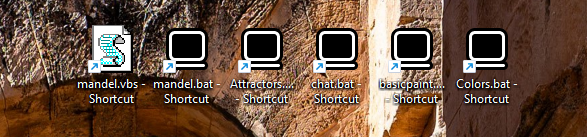
An example video of starting several graphics demos from Windows shortcuts can be seen here: https://www.youtube.com/watch?v=D8ord7K2QvI
Standard library
This is functionality that does not exist in SourceForge BASIC-256. The program now contains a Modules directory that contains two standard libraries: math.kbs and turtle.kbs.
math.kbs can be included in any program you write simply with
include "math.kbs"
It provides a set of basic functions to cut down on manually typing the same functions over and over. Currently this provides:
| Function | Meaning |
|---|---|
| minarr(a), maxarr(a) | Returns the smallest/largest element in an array or in a list enclosed in {} |
| sumarr(a), avgarr(a) | Returns the sum/average of the elements in an array or list. |
| sign(x) | Returns -1 / 0 / 1. |
| min(a,b), max(a,b) | Returns the smallest/largest of the two scalars |
| lerp(a,b,t) | Linear interpolation between a and b by ratio t (usually 0 and 1). |
| hypot(a, b) | Returns the length of the hypotenuse, sqrt(aa + bb) |
| atan2(y, x) | Returns the angle in radians of the point (x, y) |
| clamp(a,lo,hi) | Clamps the value of a between lo and hi - r=clamp(r,0,255). |
| remap(x, a1,a2, b1,b2) | remap a value between ranges — very handy in graphics-oriented BASIC256 |
| wrap(x, lo, hi) | Wraps a value cyclically (angles, screen edges) — natural companion to clamp |
| dist(x1,y1,x2,y2) | distance between two points |
| fmod(a,b) | floating-point remainder of a / b |
| fround(x, n) | round to n decimals (built-in command round is 0-decimal) |
| cbrt(x) | cube root |
| randint(lo,hi) | returns a random integer between lo and hi (inclusive) |
| gaussian(mean, sd) | random number with normal distribution |
turtle.kbs can be included in any program you write simply with
include "turtle.kbs"
It provides a set of basic turtle functions that you can use to create the classic turtle designs; the Turtle Graphics page explains them in more detail. Currently this provides:
| Moving | Meaning |
|---|---|
| call t_forward(d) | move d pixels along the current heading |
| call t_backward(d) | move d pixels opposite the current heading but does not turn the turtle round |
| call t_goto(x, y) | move to the point (x, y) without turning it to face that way |
| call t_home() | move back to the middle of the graphics window, leaving the heading and the pen as they are |
| call t_reset() | back to the start: centred, facing north, pen down |
| Turning | Meaning |
|---|---|
| call t_right(a) | turn a degrees clockwise, without moving but relative to their current heading |
| call t_left(a) | turn a degrees anticlockwise, without moving but relative to their current heading |
| call t_setheading(a) | face a degrees clockwise from north. This ignores the previous heading entirely |
| The pen | Meaning |
|---|---|
| call t_pendown() | the turtle leaves a trail from here on. Color sets the pen colour, PenWidth its width, and Clg clears the canvas. |
| call t_penup() | the turtle moves without drawing from here on. Color sets the pen colour, PenWidth its width, and Clg clears the canvas. |
| Reading back | Meaning |
|---|---|
| t_x() | Returns the turtle's x position |
| t_y() | Returns the turtle's y position |
| t_getheading() | Returns the heading in degrees, 0 to just under 360 |
| t_getpen() | Returns 1 if the pen is down, 0 if it is up |
These let a program do arithmetic against the turtle, mix turtle drawing with ordinary coordinate drawing, or put the turtle back where it found it. To drop a circle where the turtle is standing:
circle t_x(), t_y(), 5
They are also what makes branching figures possible: a routine that draws a branch can note the position and heading it started from, and restore them before the next branch begins.
| Short Alias | Same as |
|---|---|
| t_fw(d) | t_forward(d) |
| t_bw(d) | t_backward(d) |
| t_r(a) | t_right(a) |
| t_l(a) | t_left(a) |
| t_pd() | t_pendown() |
| t_pu() | t_penup() |
Building from source
Detailed compiling instructions can be found in COMPILING.txt.
For Raspberry Pi, there is a dedicated file: COMPILING_RaspberryPI.txt.
History
The original project
The original BASIC-256 v2.0.0.11 is a GPL-licensed, retro BASIC programming environment for learning coding and having fun. It was originally called KidBasic and was started in 2006 by Ian Paul Larsen, later maintained by James Reneau and other contributors through the SourceForge project. After years of updates by the contributors and a rename to BASIC-256, it is in its current state still quite capable for everyday hobby use, but the source and build setup is showing its age.
The original code and last downloadable version reside on SourceForge at version 2.0.0.11, released in 2020. It uses qmake and MinGW to compile the Windows version and is Qt5-based. It comes with an Examples directory, but most programs there need to be updated to modern specs related to speed and graphics sizes. There is also a TestSuite directory to test edge cases, but this doesn't run fully on 2.0.0.11.
Unfortunately, development of the SourceForge BASIC-256 apparently stopped after a failed attempt to port it to Qt6. Several development branches called 2.0.99.x were created between the last stable release and the moment it came to a standstill.
This continuation
The GitHub repository uglymike17/basic256 is my attempt to restart BASIC256. It took the v2.0.99.10.2 branch as its starting point, with the aim of modernizing the codebase — with a focus on portability, maintainability, speed and education.
- BASIC256 v2.1.0 was basically v2.0 but updated for the modern age and for new architectures.
- BASIC256 v2.2.0 adds new commands, a Turtle module and a big speedup over v2.1.0.
- BASIC256 v2.3.0 has a major upgrade to the Text Output window (fonts, colors, cursor placement, console emulation etc) and makes the product more resilient to bad actors.
Roadmap
Development continues with an emphasis on educational value while preserving backward compatibility.
- Packaging (BASIC256 is already in Debian and Raspbian)
- More standard modules (like a BTK2-like graphical module)
- More/Better/Updated examples
- Education tutorials
- New language features when using modules would be too slow.
Vision
BASIC-256 should remain one of the easiest programming languages for beginners and hobbyists, while becoming one of the easiest educational environments to build, maintain and deploy on modern platforms — Windows, Linux, macOS and the Web.
Contributing
Ways to help:
- Report bugs
- Improve documentation
- Write examples
- Translate documentation
- Test releases
- Improve tutorials
- Submit pull requests
- Join the Discord community
Bug reports and feature requests go to Issues; questions, ideas and showing off what you made belong in Discussions.
License
BASIC256 is distributed under the GNU General Public License, version 3 or later (GPLv3+). The original project was released under GPLv2 "or (at your option) any later version", which is what allows this upgrade; all original copyright notices have been preserved. See the license.txt file in the root directory of the source code for the full license text.
Two components keep their own, compatible licenses: src/core/md5.cpp / md5.h (RSA Data Security, adapted by Frank Thilo) and src/gui/LineNumberArea.cpp / LineNumberArea.h (BSD, from the Qt examples).
About the maintainer
I'm first and foremost a BASIC256 fan (see https://uglymike.static.domains/) rather than a professional developer. This project is maintained with the help of AI assistants (ChatGPT, Claude, Google's Gemini and Perplexity, all on free accounts) — proof of what the modern toolchain makes possible for a determined hobbyist. Additionally, as I never dabbled in sound, images or sprites, I let Claude create the xxxxStatementDemo.kbs examples for these. Contributions for fleshing out the translated documentation or other aspects of the project would be greatly appreciated.